
Rename files
intelligently with AI
Drop your files, define a template, and let AI analyze the content to generate meaningful names.
Drop your files, define a template, and let AI analyze the content to generate meaningful names.
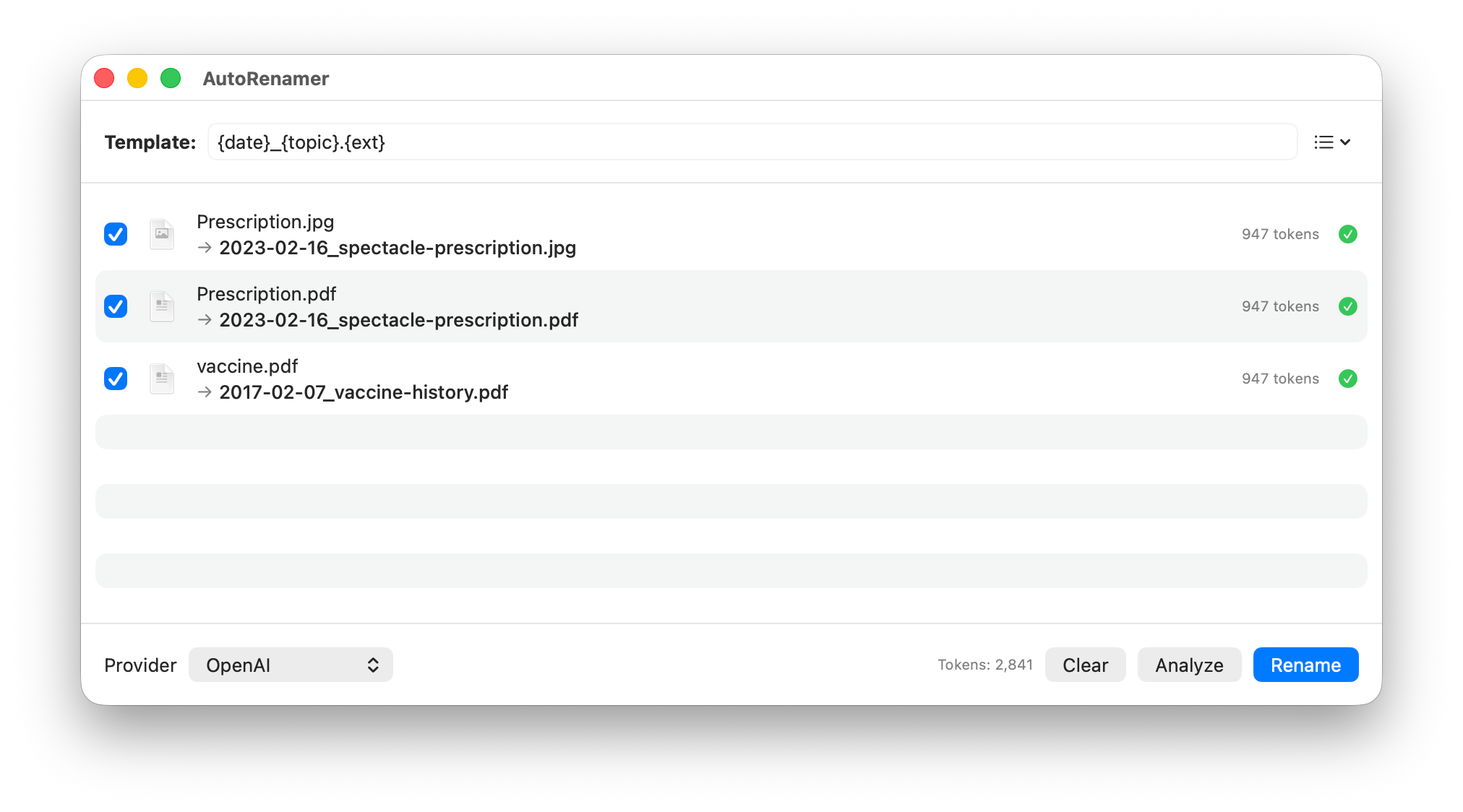
From setup to renamed files in four simple steps.
Add your OpenAI or Anthropic API key in the Settings panel.
Create a naming pattern like {date}_{topic}.pdf or pick a preset.
Drag and drop PDFs, images, or text files into the app window.
AI reads each file and proposes new names. Review, then rename.
Everything you need to tame messy file names, powered by frontier AI models.
Uses OpenAI GPT-4o or Anthropic Claude to understand file content and generate meaningful, context-aware names.
Define naming patterns with {variable} placeholders. The AI fills in each variable based on what it finds in the file.
Supports PDFs, images, and plain text files. Content is automatically extracted for analysis — no manual steps needed.
Choose from built-in template presets or save your own custom patterns for one-click reuse across sessions.
Download AutoRenamer and stop renaming files by hand.
Download for macOS